A simple driving log.
Nothing extra.
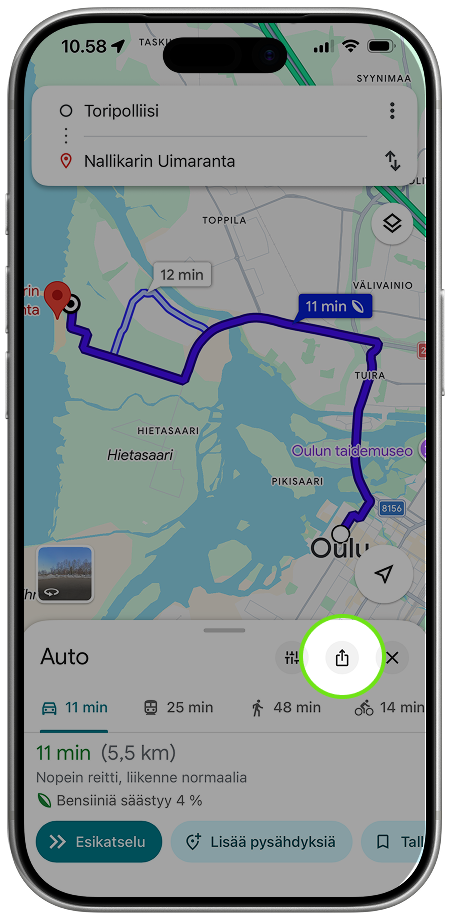
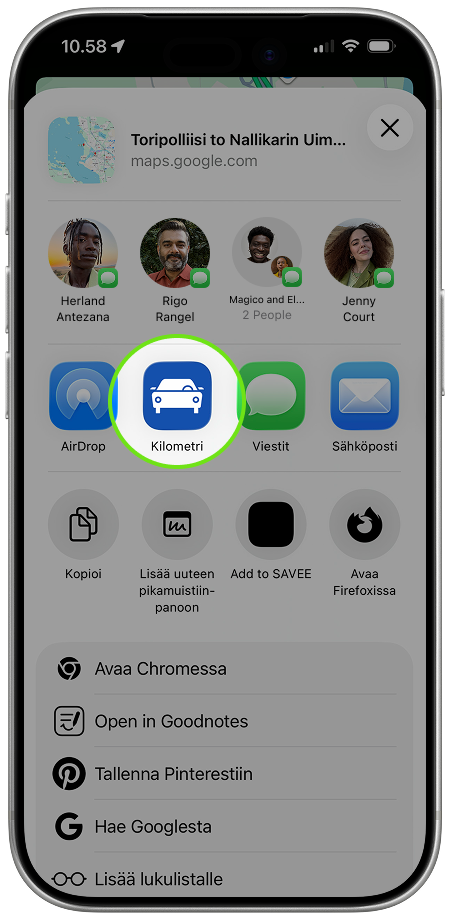
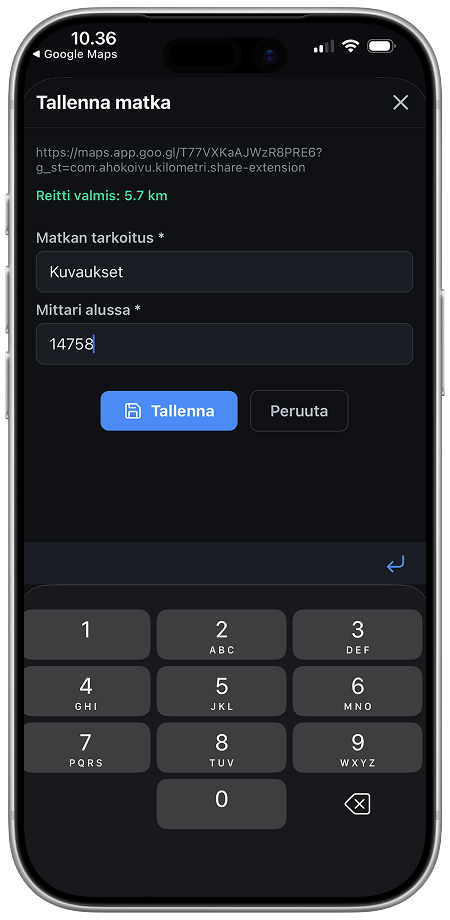
Route from Google Maps – details straight into your driving log. Only add the trip's purpose and starting odometer manually.
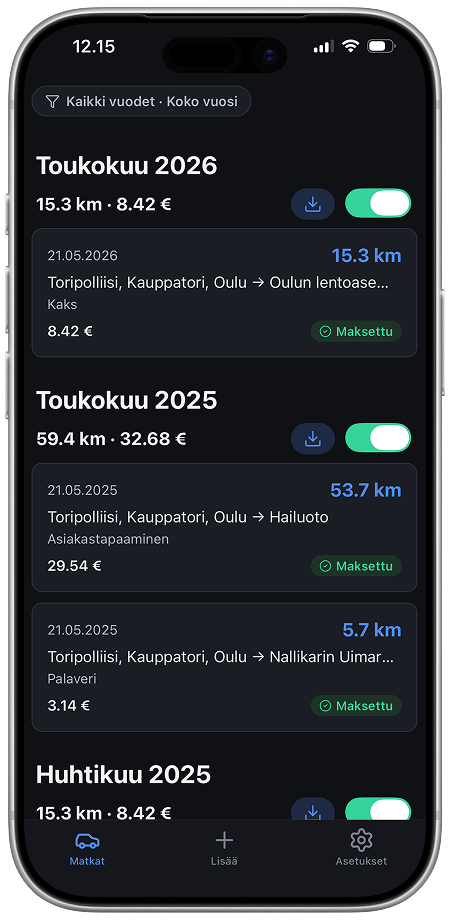
Log a trip in seconds.
Includes everything the tax authority requires.
All app features.
Add a trip, save it, export a report, backups.
Designed to be simple
Five reasons Kilometri is the easiest way to keep a driving log.
Import from Google Maps
Pull trip details directly from Google Maps or your maps app. No manual entry of routes or distances.
Only what matters
Enter only the starting odometer reading and the trip's purpose. The app handles the rest.
No GPS tracking
The app does not track your location. All data stays on your phone.
Tax-authority ready
All the data the tax authority needs for mileage deductions: dates, routes, purpose, kilometres.
PDF & Excel reports
Export your driving log as PDF or Excel. Send it straight to your accountant or the tax authority.
Frequently asked questions
Answers to the most common questions about the Kilometri driving log app and Finnish mileage reimbursement.
What is Kilometri?
Kilometri is a simple iPhone driving log for keeping track of work and business trips for Finnish tax mileage reimbursement (kilometrikorvaus). The app imports the route from Google Maps, so you only need to enter the trip's purpose and the starting odometer reading manually. Reports can be exported as PDF or Excel.
What information does the Finnish Tax Administration require in a driving log?
The Finnish Tax Administration (Verohallinto) requires the driving log to show the total kilometres driven by the car during the tax year. For each business-related trip, the log must also record: the trip's start and end time, start and end location (and the route when relevant), trip length, purpose of the trip, odometer reading at the start and end of the trip, and the driver. Kilometri captures all of these and produces a report that can be attached to a tax return or shared with an accountant.
Which trips count as business driving?
Business driving includes trips within the company's operating area (for example, picking up goods from storage or visiting a customer) and temporary trips outside that area. Other trips count as private driving — for example, your commute from home to the workplace (the company's place of business) is not business driving.
Does Kilometri track my location via GPS?
No. Kilometri does not use GPS tracking and does not request location permission. Trips are added by importing a route from Google Maps or by entering the details by hand. All driving-log data is stored only on your phone and never leaves the device.
Which export formats are supported?
The driving log can be exported in two formats: PDF for archiving and submission to authorities, and Excel for accountants or further processing. Both include every field required by the Finnish tax authority.
How do I add a trip from Google Maps?
Search the route in Google Maps and share it to Kilometri via the iOS share sheet. The app fills in the start and end points, route and distance automatically. You then add the trip's purpose and starting odometer, and the trip is saved to your driving log.
Is Kilometri available on Android?
Kilometri is currently only available for iPhone via the App Store. There is no Android version.
How much does Kilometri cost?
The app is free to download from the App Store. See the App Store listing for up-to-date pricing.